
1
Open the site or app
Go to the LuckyWave address in your browser or tap the installed home-screen icon if you've added the PWA.
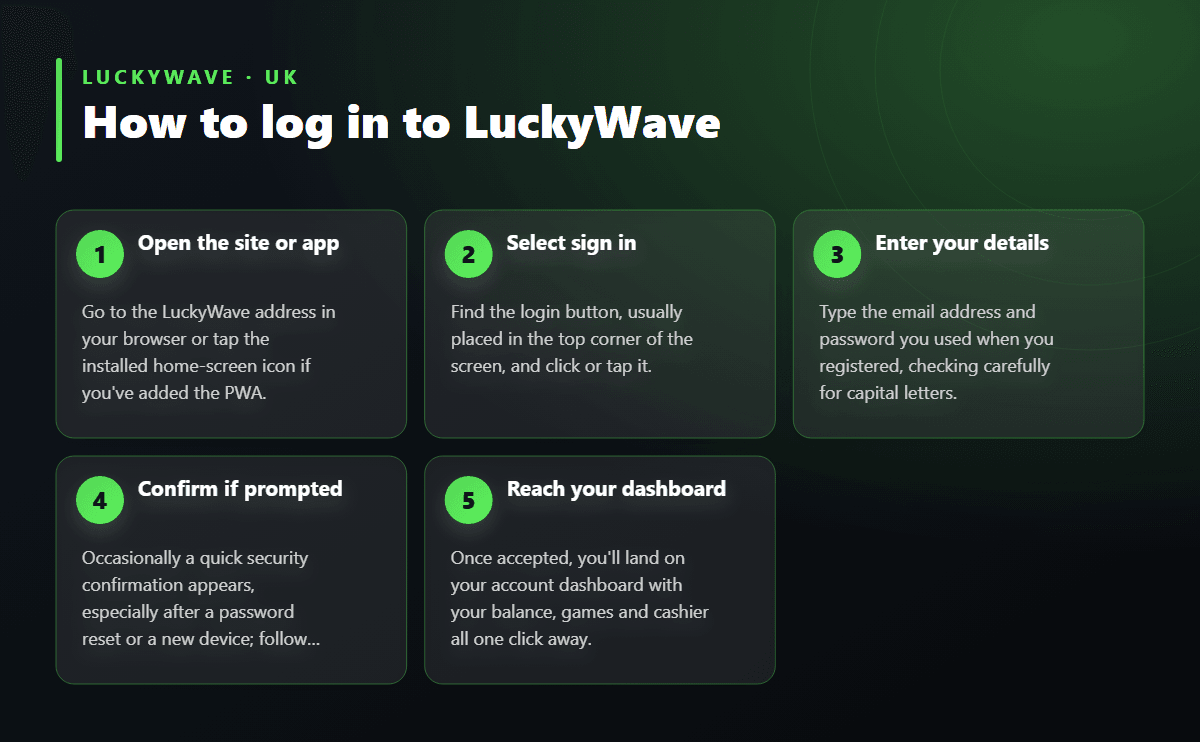
Logging in to LuckyWave takes just a few seconds once you have your email and password ready, whether you're on a laptop, a tablet or a phone. This page walks through the sign-in process for every device, how to recover a forgotten password, the usual snags players run into, and what greets you the moment you're back inside your account.
Follow these steps to sign in from a browser or the installed app in under a minute.
LuckyWave uses the same login screen across every device, so the process never really changes depending on what you're holding. On a desktop or laptop, open the site in your browser, select the sign-in option in the top corner, and enter the email address and password you used when you registered. A remember-me option is usually available if you're on a private machine, which saves you retyping credentials on your next visit.
On a phone or tablet, the mobile browser handles the login exactly the same way, with the layout adjusting to a smaller screen rather than stripping out features. There's no need to hunt for a separate mobile site or a cut-down version of the cashier; everything from your balance to the live casino tables stays reachable from a handset. If you'd rather tap an icon than open a browser each time, the mobile app section further down covers how to set that up.
| Access method | Devices | What you need | Good to know |
|---|---|---|---|
| Desktop browser | Windows, Mac, Linux | Email or username and password | Full game library and cashier visible on one screen |
| Mobile browser | Android and iOS phones or tablets | Same account credentials | No download needed, layout adjusts automatically |
| PWA app (home screen) | Android and iOS, added via browser | Same account credentials | Faster loading and push notifications for promotions |
| Password recovery | Any device with email access | Registered email address | Reset link arrives shortly after requesting it |
| Support-assisted login | Any device | Account details for identity confirmation | Help available around the clock for access issues |
If your password slips your mind, look for the password recovery link sitting just below the login fields. Enter the email address tied to your account and a reset link will land in your inbox shortly after. Following that link lets you set a fresh password, and it's worth picking something you haven't used on the account before, both for security and so the system accepts the change cleanly.
Lost access that goes beyond a simple password reset — such as no longer being able to reach your registered email — is best handled through customer support, who are reachable around the clock. Keep a note of the email and any account details you registered with, since confirming those speeds up getting you back in. Players who haven't yet created an account can head to the registration page to set one up before running into this scenario at all.
Most sign-in trouble traces back to a handful of familiar causes, and nearly all of them resolve in under a minute.
If none of these apply, the support team is available at any hour and can usually spot the cause from their end within minutes.
A strong, unique password is the single best protection you can give your account — avoid reusing one from another site, and consider a password manager if remembering several feels like a chore. Logging out fully after a session on a shared or public computer matters just as much as the password itself, since a saved session left open is an easy way for someone else to get in.
It's also worth being cautious on open Wi-Fi networks, such as those in cafés or airports, where traffic can be easier to intercept; sticking to a trusted connection or a mobile data network for logging in reduces that risk. Always type the address directly or use a saved bookmark rather than clicking links from unsolicited messages claiming to be from the casino, since that's a common route for credential theft that has nothing to do with the operator itself.
LuckyWave runs as a Progressive Web App, which means there's no app store download involved — instead, you add it to your home screen directly from the mobile browser. Once installed this way, the icon behaves like any other app: tap it and you're taken straight to the login screen, using the identical email and password combination as the browser version.
The appeal of this setup is speed and convenience rather than a different feature set — games, the cashier and live tables all match what you'd see in a browser, just with quicker loading and the option to receive push notifications for promotions. Anyone wanting a step-by-step walkthrough of the install process can find more detail on the dedicated app page.
Once you're signed in, your dashboard opens straight onto your balance, recent activity and quick links to deposits and withdrawals. From there the full game catalogue of 4,880+ titles sits a click away, spanning slots from providers such as live88, ReadyPlay, Sneakyslots, Eagaming, Sagaming and EnjoyGaming, alongside Evolution-powered live tables including Crazy Time, Lightning Roulette and Monopoly Big Baller.
The cashier accepts Visa, Mastercard, PayPal, Skrill and Bank Transfer, plus Bitcoin, Ethereum, Litecoin and Tether for players who prefer crypto, with deposits starting from £20 and withdrawals processing from £50 depending on the method chosen. New players logging in for the first time will also see the current welcome package waiting in their account; the full terms and how to claim them are laid out on the bonus page. Returning players will find the VIP Club, weekly cashback and reload promotions sitting in the same promotions tab.